








Enjoy a hassle-free moving experience in 4 simple steps:
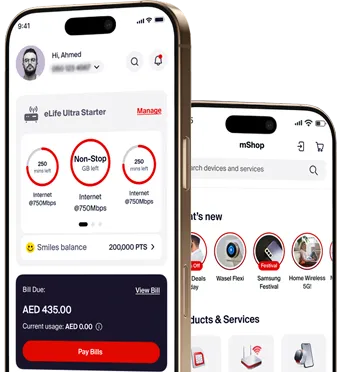
1- Download etisalat UAE app
2- Tap “Manage” on your eLife Plan tab
3- Tap “Home Move” and follow the instructions
4- Enjoy your eLife in your new home
20% off on select Home Plans
Get select Home Plans with a 20% discount for 3 months. Enjoy fast internet speeds, unlimited data, included access to Amazon Prime, STARZPLAY, TV by etisalat and more.

Important to know
Remember to carry your wireless router, TV Box, landline phone, and existing cables to your new location. Our technician will complete the set-up.
Relocating? Take your eLife connection with you from your current residence to your new home.




Popular Questions
It’s the date that you will move out of your old home. All services will be disconnected starting from that date.
It’s the date that you will move into your new home. Our technician will install our services on this date at the new location.
Make sure to take your home telephone, wireless router (Wi-Fi), TV decoder (set-top box) and their cables to your new home.
Leave the ONT device as it’s related to the building.
You can find the Etisalat ID (EID) in the entrance or telephone room of your building.
A Makani number is a unique identifier for each building. You can find this at the entrance of your building.
You will be charged AED 150 (5% VAT excluded) for standard installation.
No, the charges will be added to your next bill(s).
No, you just need to make sure that your account is active and has no pending requests.
Quick Links
Quick Links
Buy plans
Buy plans
Special For you
Special For you
Internet Services
Internet Services
Help & Support
Help & Support
etisalat
etisalat

Download etisalat UAE App



Follow Us


Payment Accepted


etisalat. All Rights Reserved.

etisalat. All Rights Reserved.